KlingMotion Control
Video AI
Create AI Videos From Photos
Turn photos, prompts, and motion clips into AI-powered videos. Grok Imagine, Gemini Omni, and Kling Motion Control are live in AI Generator Studio.
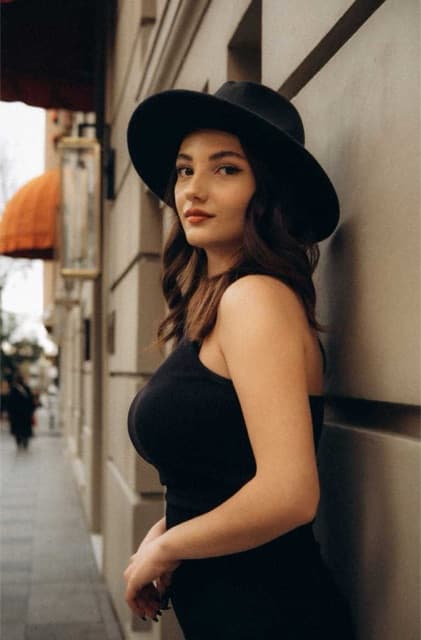
Source imageStill photo
Generated video
Video AI Tools
Three live generators — image to video, multimodal video, and motion control.
Example Videos
See the kind of clips you can create with Video AI.
How Video AI Works
Upload, describe, and generate — then download your video.
01
Choose a Video Tool
Pick Grok Imagine, Gemini Omni, or Kling Motion Control.
02
Add Your Image, Video, or Prompt
Each model asks for the inputs it needs — nothing extra.
03
Generate Your Video
Pay if required, then download your AI video when it’s ready.
Built for Creative Video
A focused set of capabilities for turning stills and ideas into video.
Fast AI Video Creation
Create videos from images, prompts, and motion references.
Model-Specific Tools
Each generator is built around the KIE model it uses.
Simple Workflow
Upload, describe, pay, and generate — the same studio flow.
High Quality Results
Download cinematic clips as soon as generation completes.
Start Creating AI Video
Turn a photo, prompt, or motion clip into a downloadable AI video.
Try Grok ImagineWhat you can create with Video AI
Video AI turns stills, prompts, and motion references into short downloadable clips. Three generators are live: Grok Imagine, Gemini Omni, and Kling Motion Control.
Image to video
Animate a still photo with Grok Imagine.
Prompt-led video
Describe a scene with Gemini Omni and optionally add an image or clip.
Motion control
Transfer movement from a video onto a character photo with Kling.
Frequently asked questions
Can I generate a video from an image?
Yes. Grok Imagine is built for image-to-video. Upload a sharp photo, describe the camera movement or atmosphere, and generate a clip.
How long does video generation take?
Video takes longer than photos. Most jobs complete in a few minutes. Keep the tab open until the download is ready.
What should I upload?
Use a well-lit source image with a clear subject. For Kling, add a motion clip between 3 and 30 seconds that shows the movement you want.